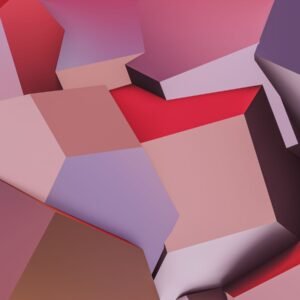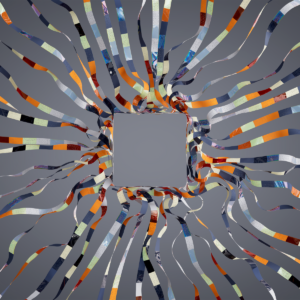
On November 12, Figma added a third dimension to its canvas. The new 3D transform effect — now in open beta — lets you tilt, rotate and arrange any layer in 3D space, with a perspective effect on the parent frame to tie the whole composition together. It is the most significant change to the Figma canvas since Figma Motion, and unlike the plugins and workarounds designers have relied on until now, it is native, non-destructive and ships straight to code.
What actually shipped
3D transform lives in the Effects section, next to shadows and blurs. Apply it to text, images, vectors, frames and components, then rotate on the X, Y and Z axes, push layers closer or further with depth controls, and set perspective on a parent frame so every child shares one vanishing point. On-canvas handles and live previews keep it visual.
The effect is in open beta for all Full seat users, with edit access to the file required. The same announcement made the Figma agent generally available, so the two land together: spatial design on the canvas, and an agent that can help build it.
Why non-destructive is the whole story
The detail that matters most is what does not happen. The artwork underneath a 3D transform stays fully editable: text remains text, vectors remain vectors, and the effect itself can be hidden or removed at any time. That is the difference between a design tool and a render: you can keep art-directing after the scene is built.
Figma’s own Brand Studio team proved the point while making the launch video. Brand designers could adjust colours and gradients through components even after a scene had been animated, and those changes carried straight into the motion. A 3D layout that freezes your artwork is a dead end; one that stays live is a working file.
3D transforms also combine with the rest of the canvas. Add shaders for surface and light, animate the result with Figma Motion keyframes, or ask the agent to explore variations for you.
From canvas to code
For product designers, the most practical part is the handoff. Select a 3D layer in Dev Mode and Figma shows the exact CSS transform — rotation on every axis, depth, perspective — ready to copy. Coding agents can also read and create 3D designs through the Figma MCP server, so what you explore on the canvas connects to what developers build.
That closes a gap designers know well. Until now, a tilted card or a spatial hero in a mockup was a picture with a note attached: “build something like this.” Now the file carries the actual transform values. Treat it as a starting point — check performance and accessibility before shipping a heavy 3D scene — but the distance between mockup and product just got much shorter.
The agent did the math
The launch video is also a good demo of how the Figma agent fits into spatial work. Brand designer Deanna Gueli arranged one word, repeated and staggered along the Z axis, then asked the agent to handle the spacing. “There was a tango back and forth: the agent did math, and I did the creative stuff,” she said.
Motion designer Ben Hill went further. Arranging dozens of cards in 3D by hand was slow and imprecise, so he had the agent build a generative plugin that arranges elements into a grid, a helix, a ring or a random scatter — then replaced the placeholders with photography and graphic elements. The pattern is worth copying: let the agent place things in space, while you judge depth, balance and movement.
What to try first
Start with something small and visible. A hero headline tilted toward the viewer, a set of product cards fanned out in a carousel, a logo lockup with real depth — these are the cases where a 3D transform earns its place in a day, not a week.
A few honest notes before you rebuild a layout around it. It is a beta, so expect changes. You need a Full seat on a paid plan, which rules out free Starter accounts. And a 3D scene is still a design decision, not a decoration: depth should guide the eye, not compete with the content.
The bottom line
Figma is quietly becoming a spatial design tool, not just a flat canvas with better plugins. Depth, perspective and motion now live in the same file as the artwork, the components and the handoff — and the agent can do the arithmetic while you do the looking. If you design interfaces, try one tilted composition this week. The canvas has a third axis now; it would be a shame to leave it flat.